
Designing a smarter scheduling experience for workforce managers.
For a V1, I led product design that helps Schedule Managers move from repetitive manual planning toward automated schedule creation - while balancing customer needs, technical contraints, and an evolving design system.
View Figma Prototype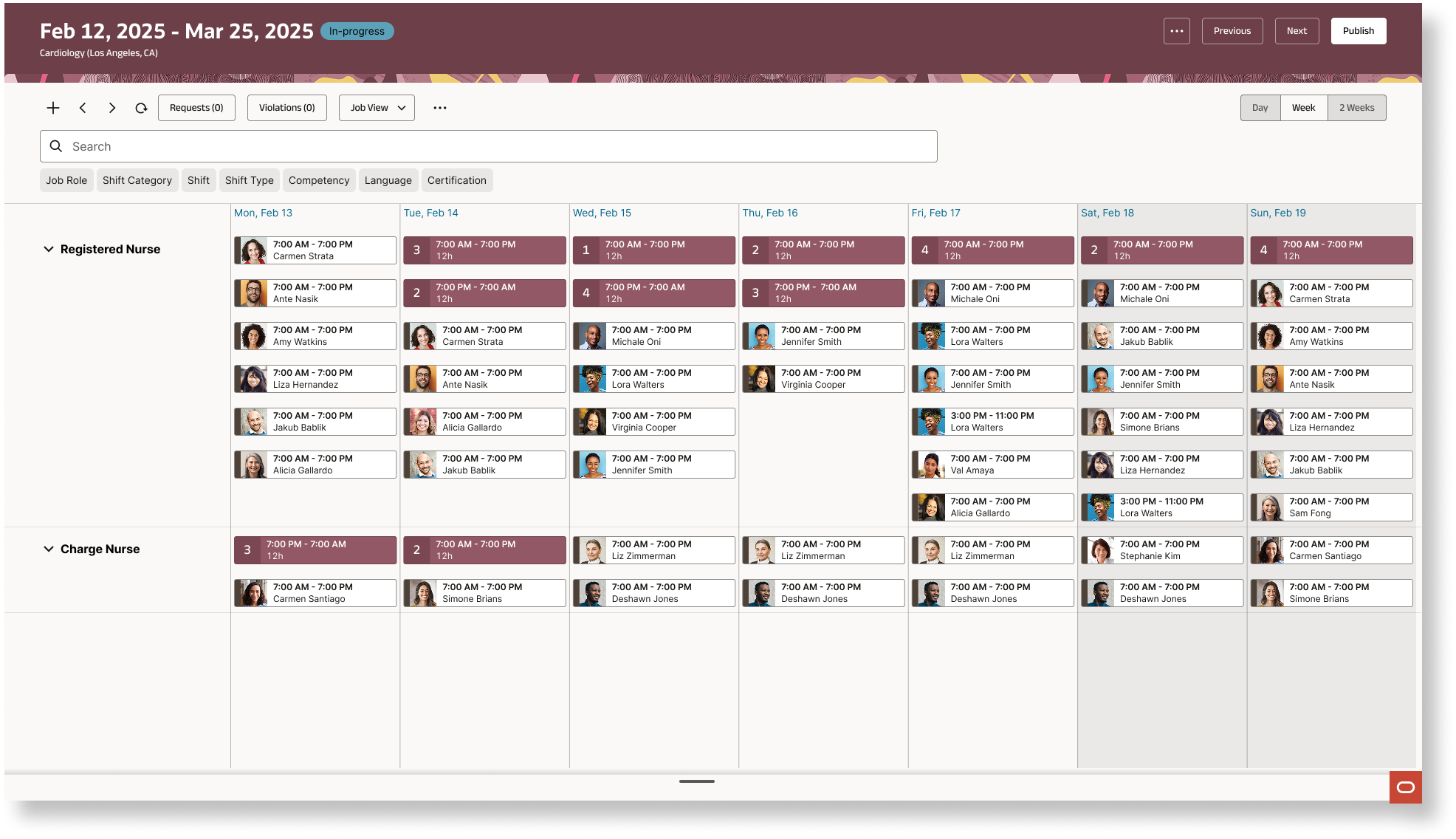
From scheduling foundations to automation
Phase 1 established the implementation and administrative foundation for automated scheduling. In Phase 2, the focus shifted to designing Oracle’s Advanced Scheduling solution: an automated experience that helps Schedule Managers create schedules more efficiently. To better understand customer needs and inform product direction, I initiated a partnership with our internal research team. The research uncovered a key insight that influenced how scheduling information should be organized and presented.
As the project evolved, technical limitations constrained what we could deliver in the initial release. Anticipating these challenges, I explored alternative design approaches to ensure we could still deliver a valuable V1 experience within the available constraints.
What I delivered
This release represents V1 of a multi-year initiative, establishing a foundation for future enhancements to the advanced scheduling experience. I designed and delivered an automated scheduling experience that enables Schedule Managers to generate schedules and automatically assign shifts based on existing work patterns, shifts, and scheduling rules — reducing manual effort and providing a more efficient path to schedule creation.
Starting from scratch
At the time, Oracle did have a smart scheduling solution, when Schedule Managers want to create a new schedule for an upcoming scheduling period, they had to resort to excel sheets in order to create and plan their schedules.
Schedule Managers must continuously evaluate staffing needs, like contracted hours, workers preferred availability, scheduling rules, and labor regulations. They need to ensure the right people are assigned to the right shifts while meeting operational and workforce requirements.
Simplify schedule creation through automation
Design an intuitive, automated scheduling experience that enables Schedule Managers to quickly generate schedules based on staffing needs, worker availability, contracted hours, and scheduling rules — reducing manual effort while ensuring the right workers are assigned to the right shifts.
My goal was to deeply understand how Schedule Managers plan, create, and manage schedules — identifying their pain points, essential workflows, and the information they need to make confident staffing decisions. These insights would help me define the right functionality for both manual and automated schedule creation, ensuring the experience was intuitive, efficient, and aligned with real customer needs.
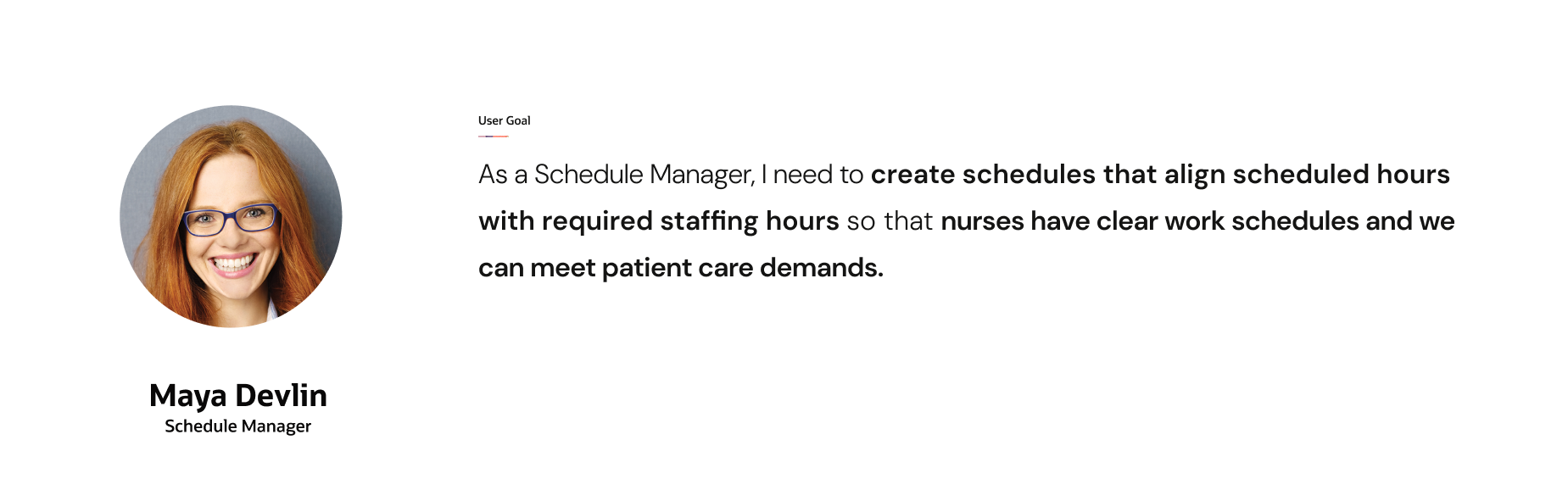
How might we help Schedule Managers create accurate, compliant schedules faster while minimizing manual effort and balancing staffing needs with worker preferences?
Customers needed a bigger picture
I initiated a partnership with our internal research team to better understand how Schedule Managers identify staffing gaps and make decisions about reallocating workers.
One key question was how much of the schedule they needed to see at once. Would a daily or weekly view be enough, or did they need visibility across the full scheduling period and beyond?
Key Insight
Five weeks wasn't always enough.
Research revealed that customers wanted visibility beyond the standard five-week scheduling period — ideally across the entire year. But rather than taking their feedback word or word and delivering a continuous scrolling time frame, I had to dive deeper to fully understand why. They needed context to create fair schedules and apply business nuances.
The automated experience already inputs all those details for our user through Work Patterns, Shift Libray, Schedule Rules, etc so in reality, perhaps the need for a continuous scroll is not a real need.
Making more scheduling information visible at once
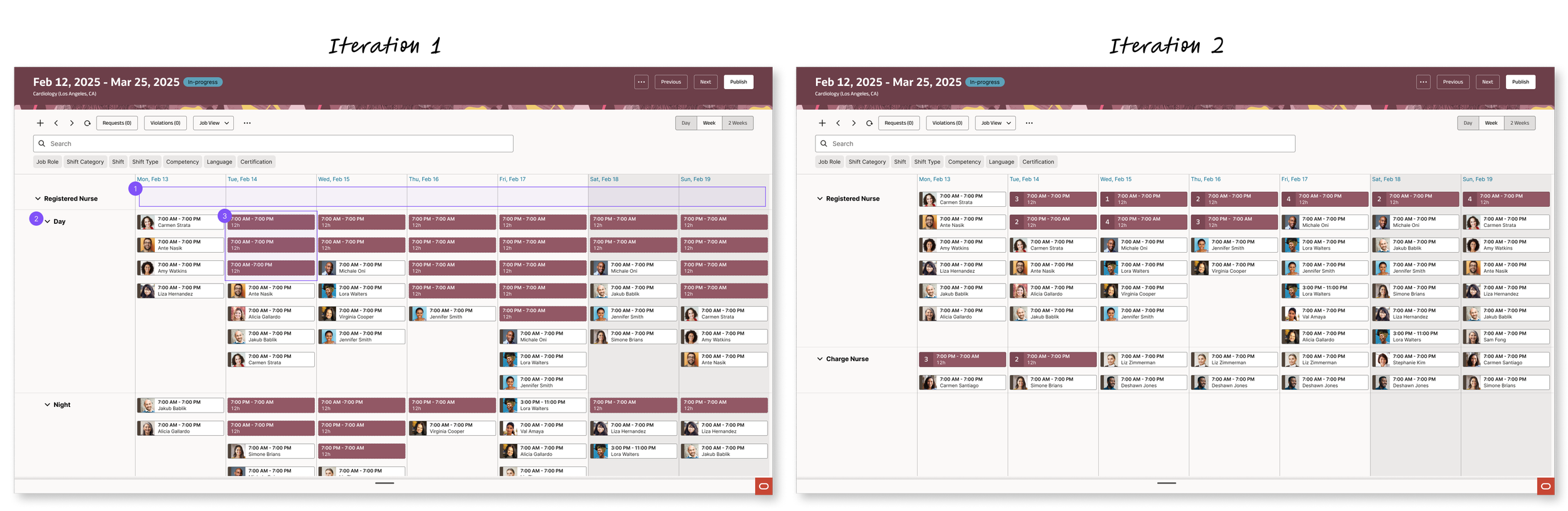
My explorations focused on two questions: How do users navigate a schedule -What time horizon makes the most sense and How much scheduling information should be visible at once - How could I maximize the amount of useful information on screen?
Find the right time horizon
I explored daily, weekly, and two-week views, informed by competitor analysis and customer research. Participants expressed a strong preference for continuous scrolling across the full five-week scheduling period, making it easier to understand staffing patterns without repeatedly switching views.
Minimize wasted space and repetition
I explored grouping multiple open shifts rather than displaying each as a separate row or node. I collaborated with the Redwood Gantt design team to develop a customized Gantt node component, reducing visual repetition and preserving more scheduling context on screen.
Turning constraints into workable solutions
Establishing a research partnership
I hadn't seen other designers working on Workforce Management products actively partnering with our internal research team, so I took the initiative to establish that collaboration.
Workable solution:
I worked with our research team on how to partner, clarify responsibilities, and make research useful to the design process. The partnership also encouraged greater awareness of the research team's services across the team.
Working within an evolving design system
I was the first designer to adopt the Gantt Page Template through our Redwood design system and the component was evolving alongside my project, creating gaps between its capabilities and the scheduling experience's needs. Requesting an enhancement would have delayed out release.
Workable solution:
Instead of requesting an enhancement, I consulted with our Redwood team and partnered with the Gantt Product Team (Product Manager, Visual Designer, Engineer) to come up with a customizable gantt component for grouped shifts. After delivering V1, I pursued Oracle's Redwood affiliated program to explore adding the customized components to the shared library for other designers to use.
What I took away: Constraints don't remove the need to advocate for users. They make it more important to identify the underlying need, prioritize and explore alternatives early, and collaborate closely with product and engineering partners.
Delivering the foundation for automated scheduling
I designed and delivered V1 of the automated scheduling experience, enabling Schedule Managers to generate schedules and automatically assign shifts using existing work patterns, shifts, and scheduling rules.
The solution established a foundation for a more efficient scheduling workflow, helping managers move from manual schedule creation toward automation while keeping staffing requirements and scheduling constraints in view.
Automated shift scheduling
Creating a schedule no longer needs to be done by stratch, users can generate schedules and assign shifts based on work patterns, staffing demand, and scheduling rules.
Nurse to Manager
I worked in parelle with my team mate who is a UX Principal Designer for Nurse experience to ensure a cohesive and consistent experience between Schedule Manager and Nurse during this phase of the scheduling cycle.
Stay compliant
Help managers stay compliant to labor laws, union regulations, minimum and maximum hours, fatigue management, seniority, and other scheduling rules.
Looking ahead
As V1 of a multi-year initiative, this release established a starting point for expanding Oracle's advanced scheduling capabilities. The work also created an opportunity to feed practical component improvements back into the broader Redwood design system.
Next Steps
The next release will focus on how Schedule Managers solve for (Variance = Scheduled hours - Required hours) and utilize my connections from Redwood Design system to ensure any enhancements request needed can be prioritized and Research so that I can conduct faster research sessions through our internal resources.
Navigate ambiguity, adapt to evolving constraints, and make thoughtful design decisions along the way.
I wanted to highlight three qualities that are particularly valuable and crutical for me in order to deliver a V1 experience.
Leadership and initiative
From establishing a new research partnership. to being an early adopter of the Gantt page template within an evolving design system, there was no established playbook to follow. Each challenge required me to take initiative, collaborate across teams, and find creative ways to move forward
Adaptability and problem-solving
One of my biggest takeaways was learning to prioritize what was essential for V1 versus what could be deferred to V2. Designing during a "no enhancements" period meant working within existing technical and design-system capabilities while finding ways to meet critical customer needs.
Strategic prioritization
Ultimately, this experience strengthened my ability to balance user needs, technical feasibility, and business priorities — and reinforced that great design isn't always about delivering the ideal solution, but delivering the right solution at the right time.